A platform for whoever's running the room.
Great tools for participants. Nothing for the facilitator.
After fifteen years running workshops, I figured out the session itself was the easy part. The work I dreaded was the planning before and the synthesis after. Every facilitator knows the breaking point: you're twenty minutes out, the attendee list just changed, and the agenda you timed to the minute no longer holds. So you're reshuffling exercises, breaks, and lunch on the fly with nothing but a Word doc and a watch. I built the tools I kept wishing I had, then wired them into one platform that covers the whole job: planning, running, and reflecting. Solo, on nights and weekends.
One set of connected products.
I designed and built a modular set of products on a shared Canvas design system, drawn first in Figma, then ported into code so every screen stays consistent. Plan is an agenda builder with real timings around breaks and lunch. The Library holds 380 exercises and 90 icebreakers, searchable with RAG. Facilitate pairs a live timer with the next script and AI notes that read the room. And Synthesize ingests the mess a workshop leaves behind (FigJams, photos, scripts, notes) and clusters it into themes. The hardest part was AI discipline: knowing when not to reach for it, and boxing it in so it can't hallucinate. A recommended exercise has to already exist in the library. For resilience the stack fails over from Claude to Gemini to Kimi, and still works offline. As the only person on it, I owned research, UX, visual design, the design system, frontend, backend, schema, API, AI loops, and copy.


Off the laptop, into the room.
The web platform handles the desk work. But two moments kept happening away from a browser tab. Mid-session, when the room goes sideways, I have my phone in my hand, not a laptop. And deep in planning, I wanted a real desktop tool with keyboard shortcuts and drag and drop, not one more tab. So I built two native apps in SwiftUI, on the same API and the same Canvas tokens as the web. About 11,000 lines of Swift, designed and written the same way as everything else here: by me.
Back Pocket for iPhone
Facilitation first aid. Describe what's happening in plain words, typed or spoken, and it hands back the intervention card that fits, best match first, with something to say in the next thirty seconds. Fifty cards, nearly 200 tips, a tip of the day, and favorites. The design calls came from standing in front of a group. Voice search runs on the phone and stops itself after a short pause, so I only look down once. Each card opens on three at-a-glance facts (time to try, low-key or direct, room or remote) before the deeper moves. And the whole deck ships inside the app, because conference-center Wi-Fi always dies right when you need it. It's submitted and waiting on App Store approval, with an early-access list on workshopr.io.

Workshopr Planner for Mac
The Planner, rebuilt as a proper Mac app instead of a wrapped web page. Drag activities from the library onto the timeline, nudge a block five minutes from the keyboard, and the header tells me whether I'm on time, have room, or am ten minutes over. Fill With AI drafts a whole agenda with the same guardrails as the web: every block has to be a real exercise from the library, and each one comes with its reason. It exports to PDF, Word, Excel, Markdown, and calendar. The library caches on disk and only re-downloads when it changes, so it opens instantly, even offline. It's at version 0.1, packaged as a DMG. The real story for the Mac app is that it was built for me, and I imagine I'll be its primary user. I've traveled all across the country and the world running workshops, and I wanted to be able to build an agenda while flying, without internet.

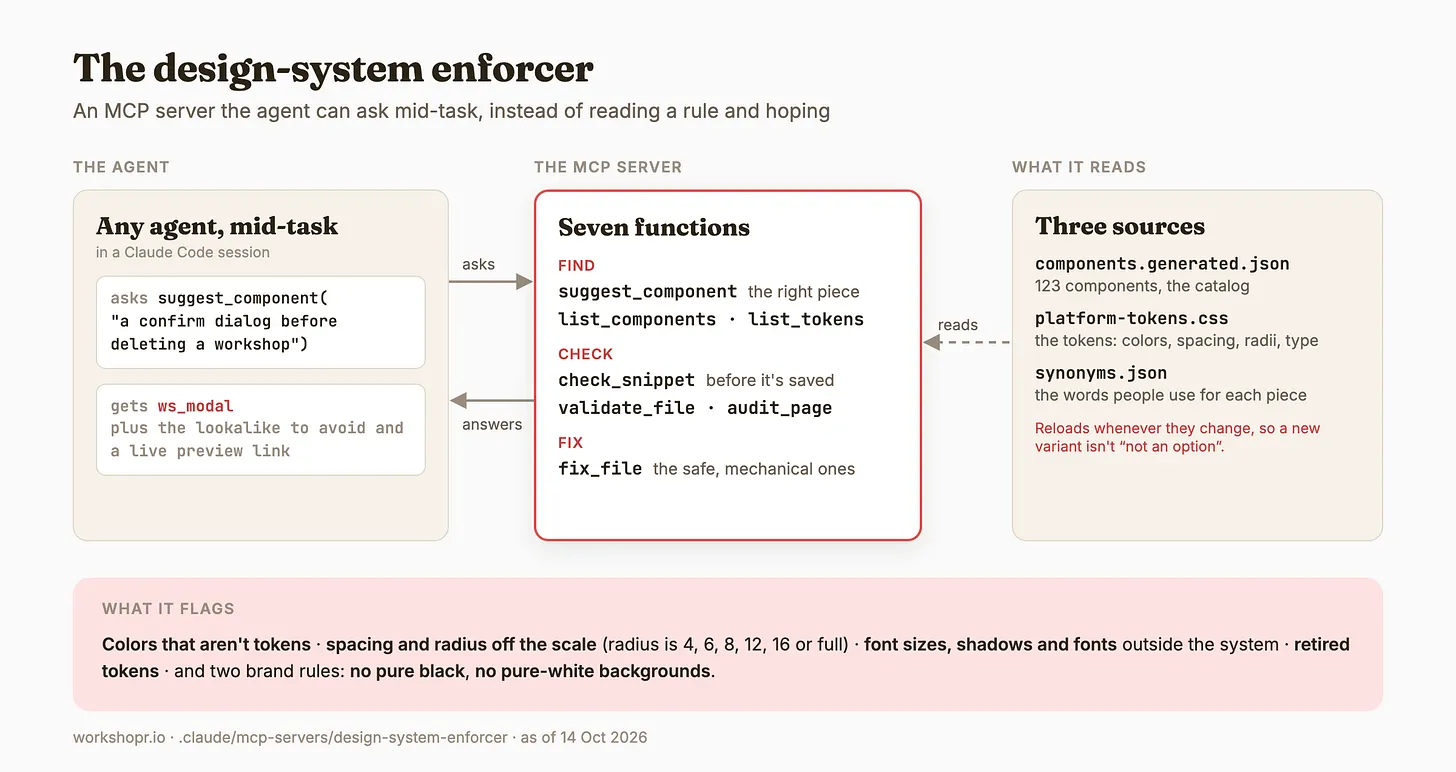
This is where the design system (Canvas) paid for itself. The type, the colors, the API, and the card content were already settled, so most of the work was deciding what each context needed, not redrawing screens. The system isn’t just documentation, either: a design-system enforcer, built as an MCP server, lets any agent ask mid-task which component fits, check a snippet before it’s saved, and fix what drifted, so the rules hold even when an agent writes the code. A design-system agent owns the components and tokens and works in coordination with a designer agent: the designer shapes the feature, and the design-system agent makes sure it’s built from pieces that already exist, or adds the new one to the catalog properly. It's also not just AI-enabled, but AI-first.
A team that’s mostly agents
I’m the only human on Workshopr, so most of the team is agents, and they all start from the same set of conventions. Before an agent touches the code, it reads CLAUDE.md, the codebase guide. AGENTS.md and GEMINI.md just point back to it, so Codex and Gemini work from the same rules instead of a copy that drifts. From there it fans out into a handful of markdown files: PRODUCT.md for what Workshopr is and who it’s for, DESIGN.md for what’s allowed, taste.md for what’s good, Conventions.md for what things are called, and motion.md for how things move. One rule lives in one file. And because docs rot, a lint check fails if a guide names a helper, path, or token that no longer exists.

The design and development process is agentic, but it isn’t unsupervised. I orchestrate a team of agents, and each one gets one job and one wall it can’t cross. A designer agent works with my design taste, a design-system agent owns the components and tokens, and an executor builds in slices it can finish and test one at a time. Codex reviews the code as an adversary, and a drift auditor checks the codebase against the design system. On the content side, one agent drafts new library entries and a read-only reviewer checks them. Underneath all of them sit the same controls: the enforcer, hooks that send violations straight back after every edit and refuse destructive database commands, and pre-commit checks. The agents recommend; I decide what ships.

A live platform that gives facilitators time back.
Workshopr now has roughly 1,400 people using it at least three times a month, with a Substack and ebook funnel growing off what I learn building it. It now reaches past the browser too: an iPhone app in App Store review and a native Mac planner. Facilitators tell me they save about half their prep time. I've cut my own planning and run time by 50–75%, which buys back the hours I used to lose to logistics.


The biggest surprise was who showed up: a lot of them are Learning & Development folks, not designers, and that's reshaping who I build for. If I did it again, I'd ship the Planner first instead of sinking three months into the library. Get to the core value, then earn the rest. No more rebuilding the agenda twenty minutes before the room fills up.


The free content does a lot of the selling. Intervention Cards are fifty moves for the moments an agenda can't plan for, on the web and in Back Pocket. Tips is a feed of nearly 200 illustrated ideas, one sharp idea a day. And the Facilitator DNA quiz asks 15 questions and hands back one of five archetypes, from The Architect to The Energizer, with a shareable profile, a radar of strengths, and an email series written for that type. None of it needs an account. Each one is a front door: people come for a card, a tip, or their result, and every one of them points back to the Planner, the Substack, and the ebooks.

One app, the whole workshop
Strategize, Plan, Facilitate, and Synthesize sit in one rail. The exercise library, sorted by source and category, is a click away while I build.
workshopr.io/app
Say it in one sentence
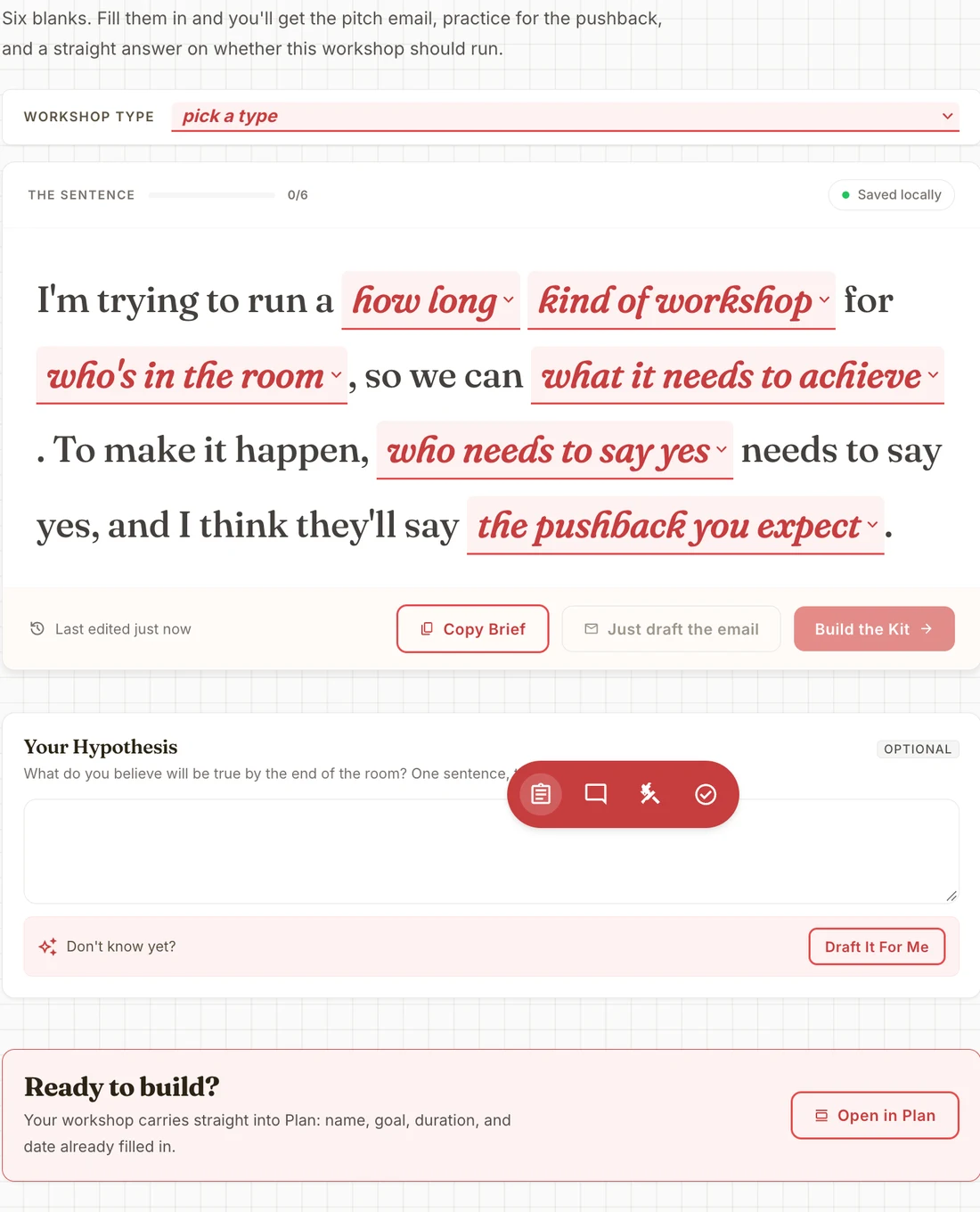
Strategize starts before the agenda does. Six blanks: how long, what kind of workshop, who's in the room, what it needs to achieve, who has to say yes, and the pushback I expect. If I can't fill them in, the workshop isn't ready.
Make the case before the room
That one sentence becomes the pitch email, practice for the pushback, and a straight answer on whether this workshop should run at all. I can copy a brief, draft just the email, or build the whole kit.
Carry it into Plan
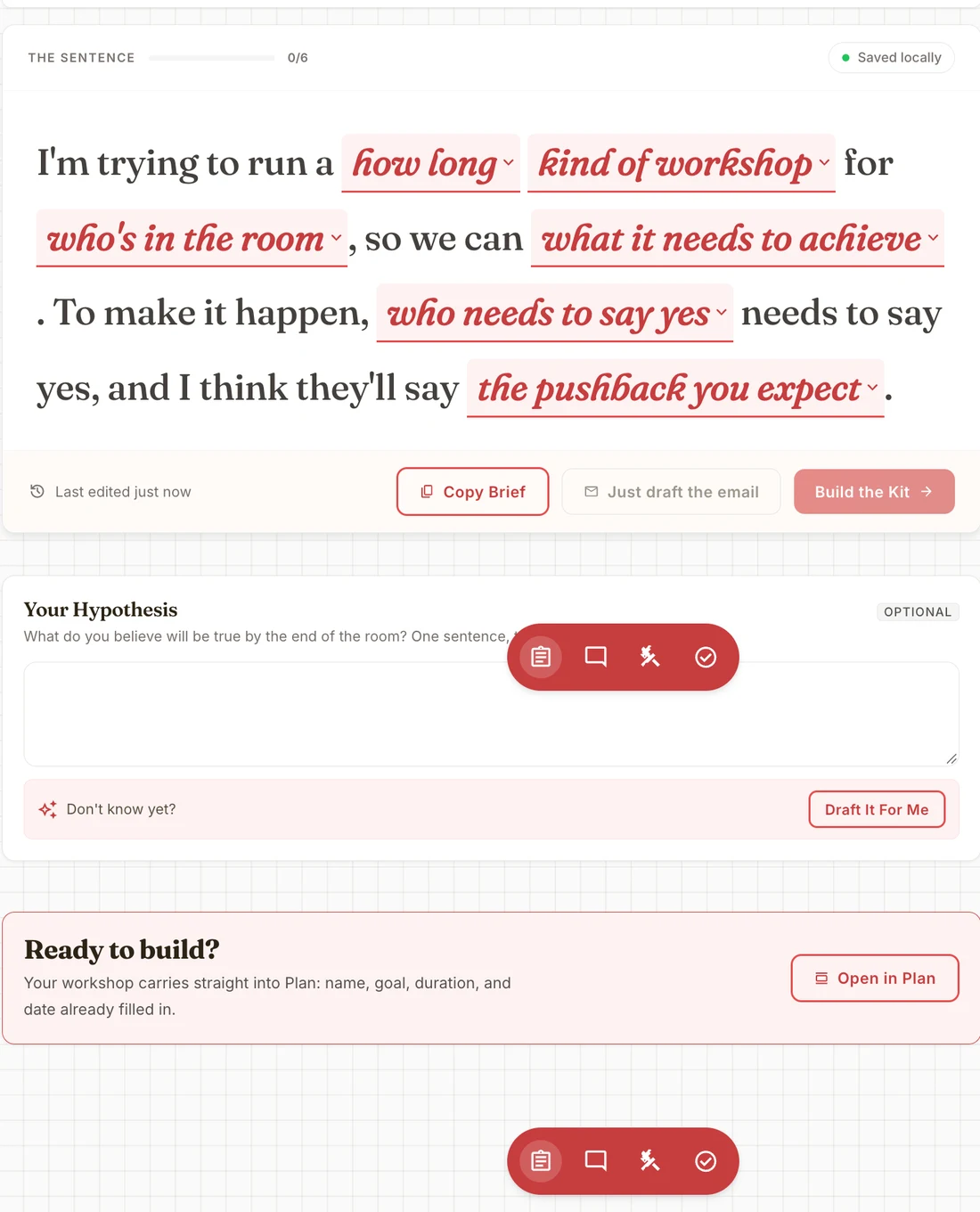
Nothing gets retyped. The name, goal, duration, and date go straight into Plan, so the agenda starts from the case I already made.

Start from proven exercises
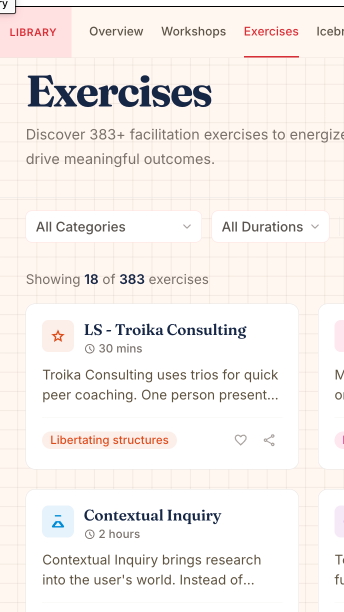
Plan opens with the exercise library beside the agenda. I filter by source, like 18F, IDEO, or Atlassian, or write a custom activity, and drop it straight into the day.

The timing math is done
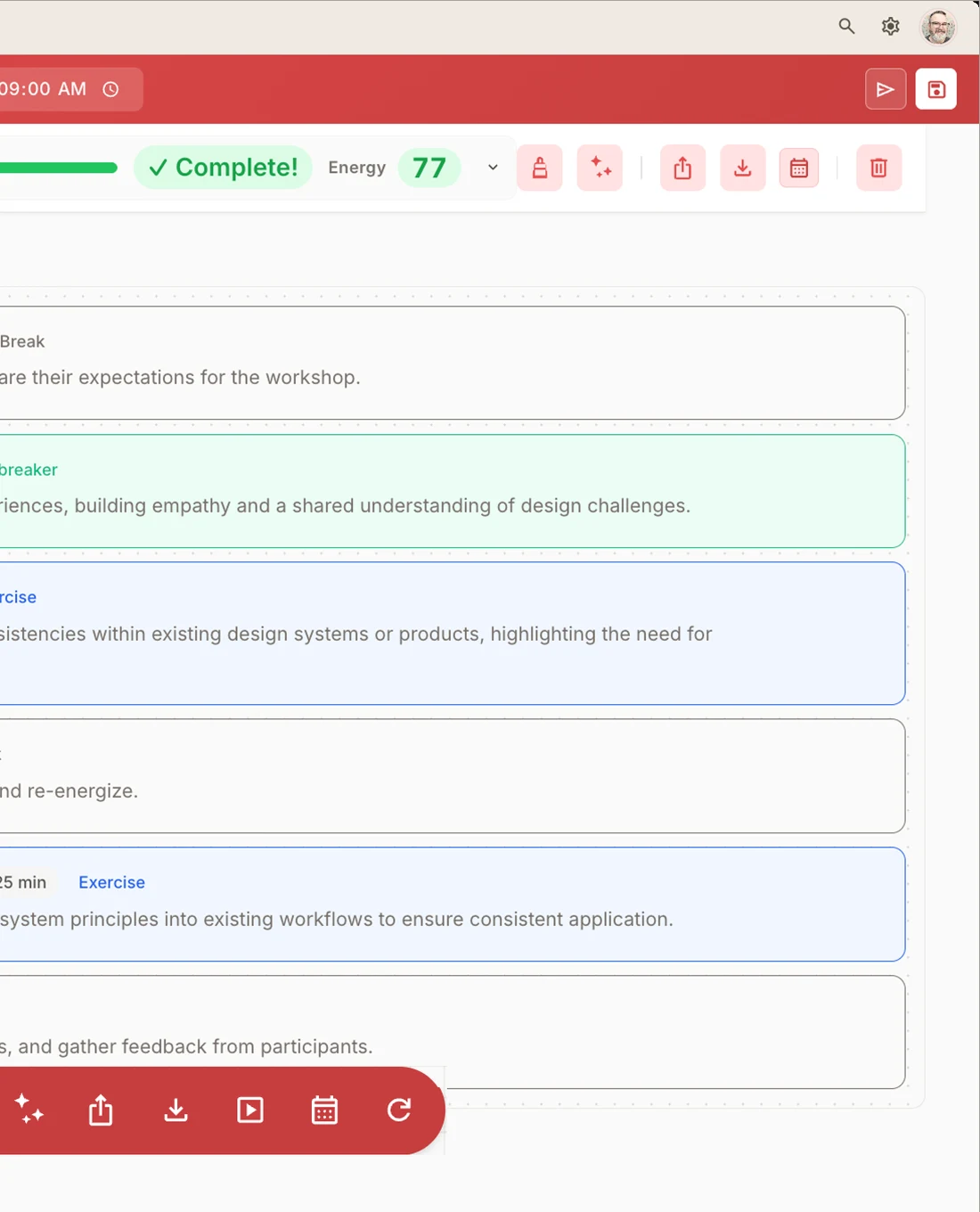
Every block gets a duration, and Plan fills in the start times. Swap or drag a block and the whole day shifts, so I know the agenda fits before I walk in.
Check the day, then send it
A progress bar shows how much of the time is filled, and an energy score reads the mix of breaks, icebreakers, and deep work. When the plan is right, I share it, export it, or put it on the calendar from the same screen.
Run the clock, not the slides
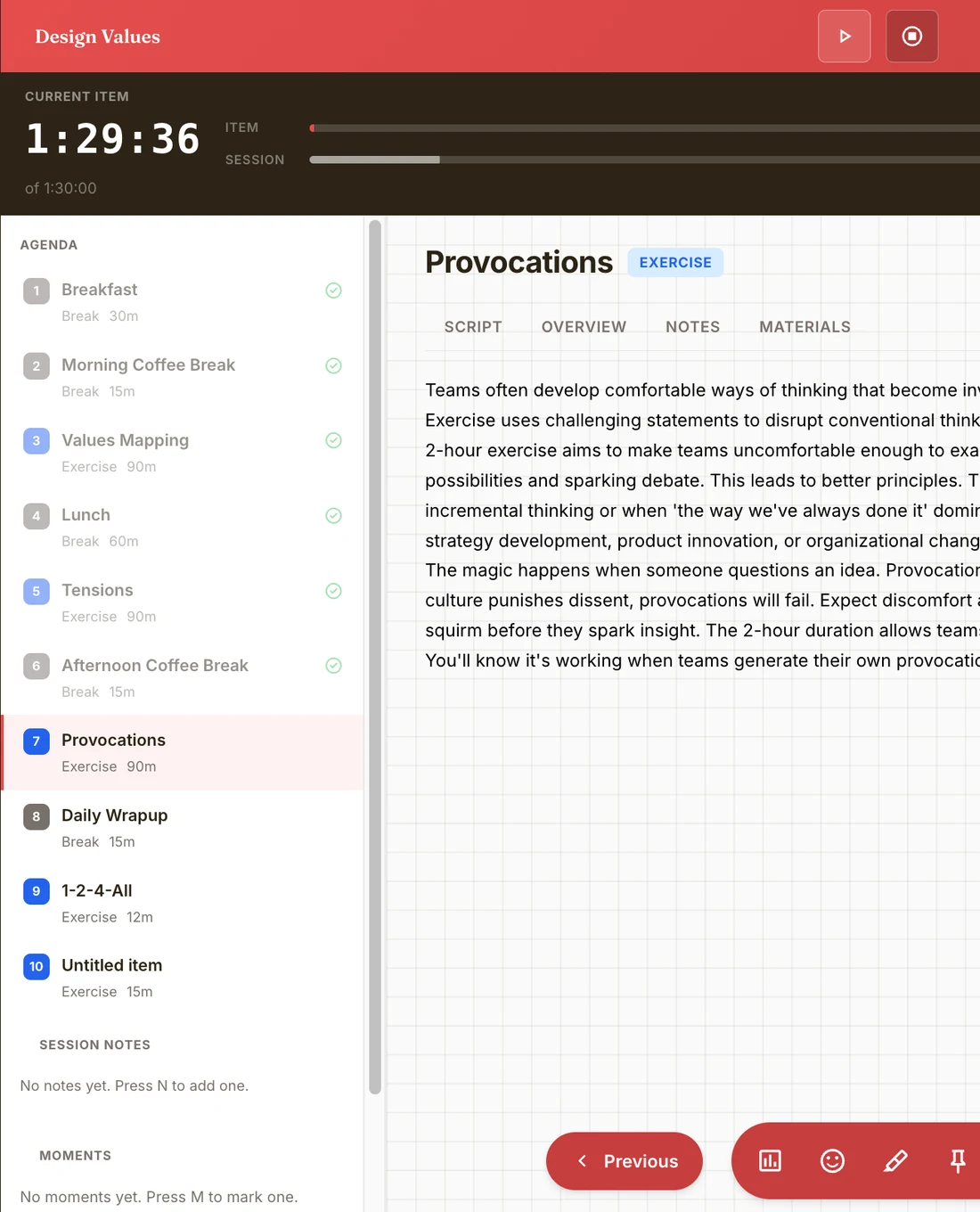
Facilitate turns the plan into a live run. A big timer for the current item, a bar for the whole session, and the agenda down the side with what's done, what's now, and what's next. I can add or take back minutes without leaving the screen.
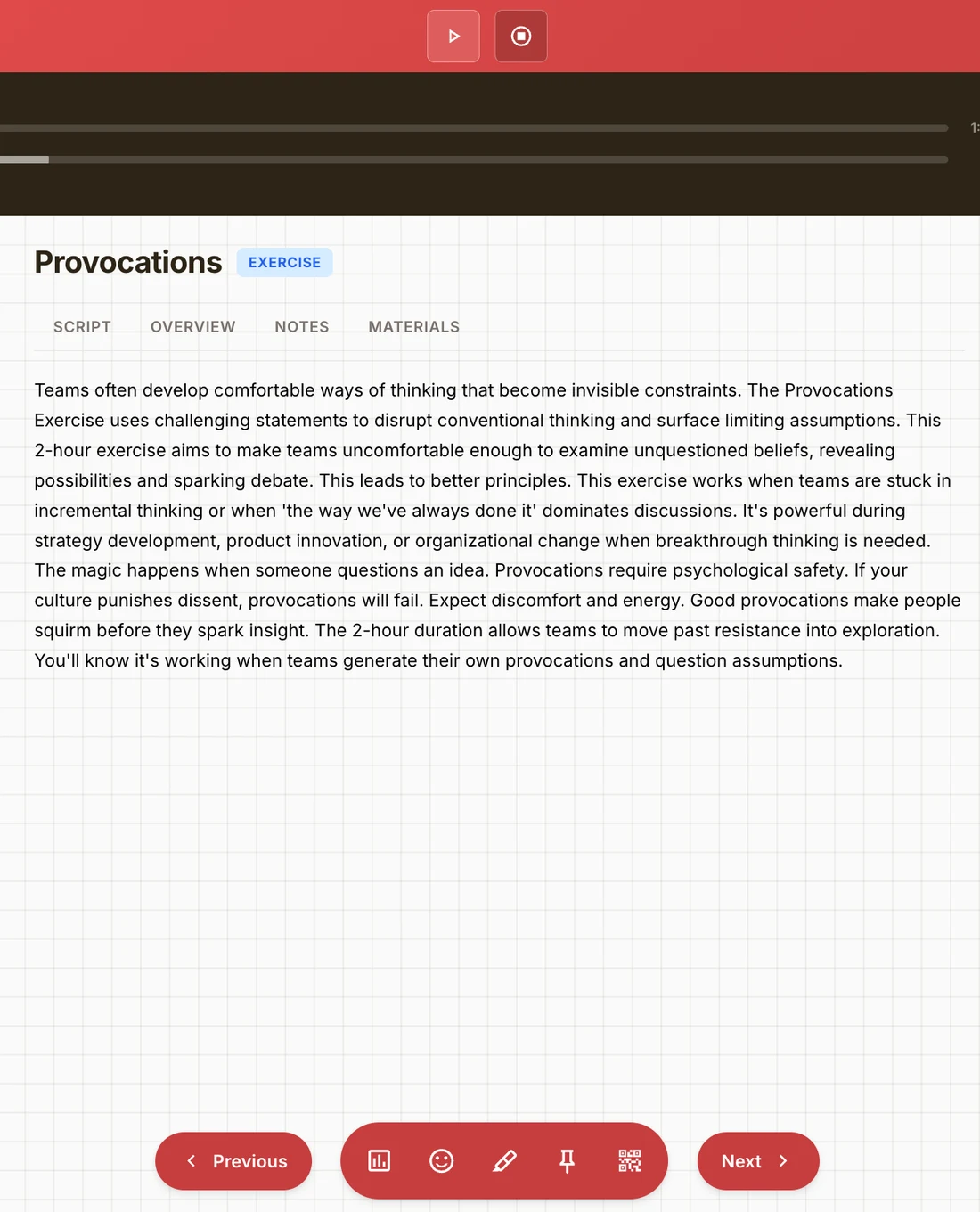
The script is right there
Each exercise brings its script, overview, notes, and materials, so I'm not flipping between a doc and a timer. Polls, reactions, pins, and a QR code for the room sit in one toolbar between Previous and Next.
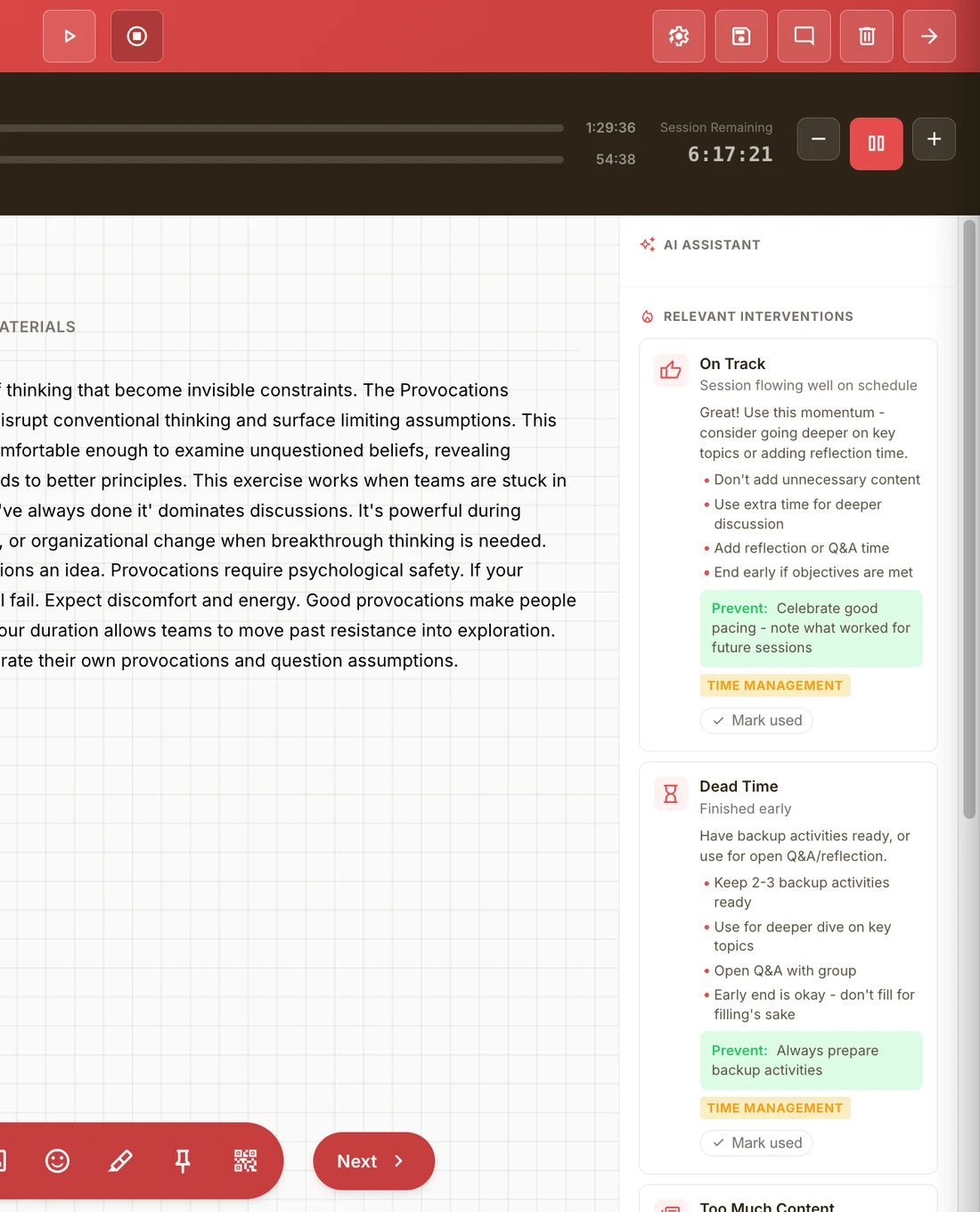
Help when the room drifts
An AI assistant reads where the session is and surfaces the intervention that fits: on track, dead time, too much content. Each card comes with moves to make now and a way to prevent it next time.
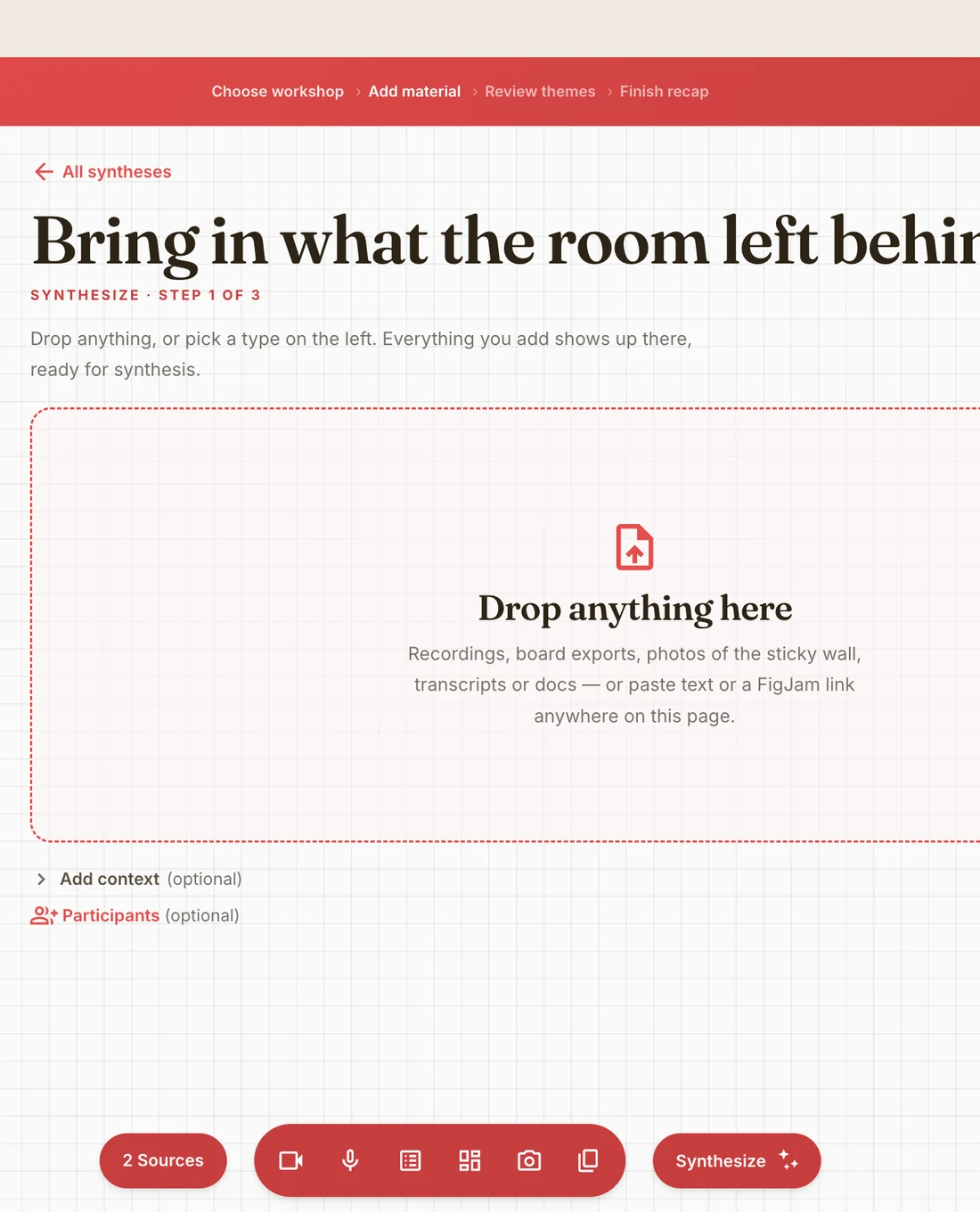
Bring in what the room left behind
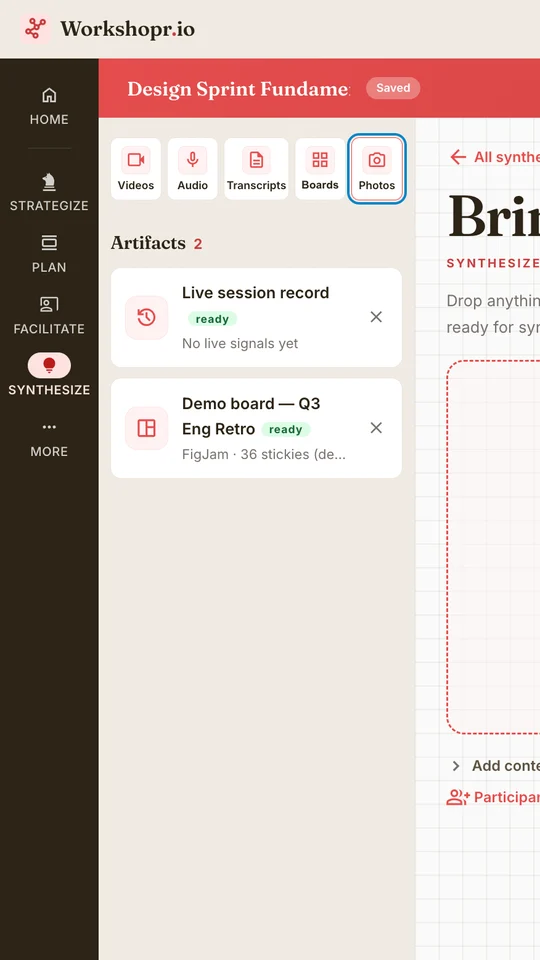
Synthesize starts where the session ends. Recordings, board exports, photos of the sticky wall, transcripts, or a FigJam link all go into one drop zone, ready to be made sense of.
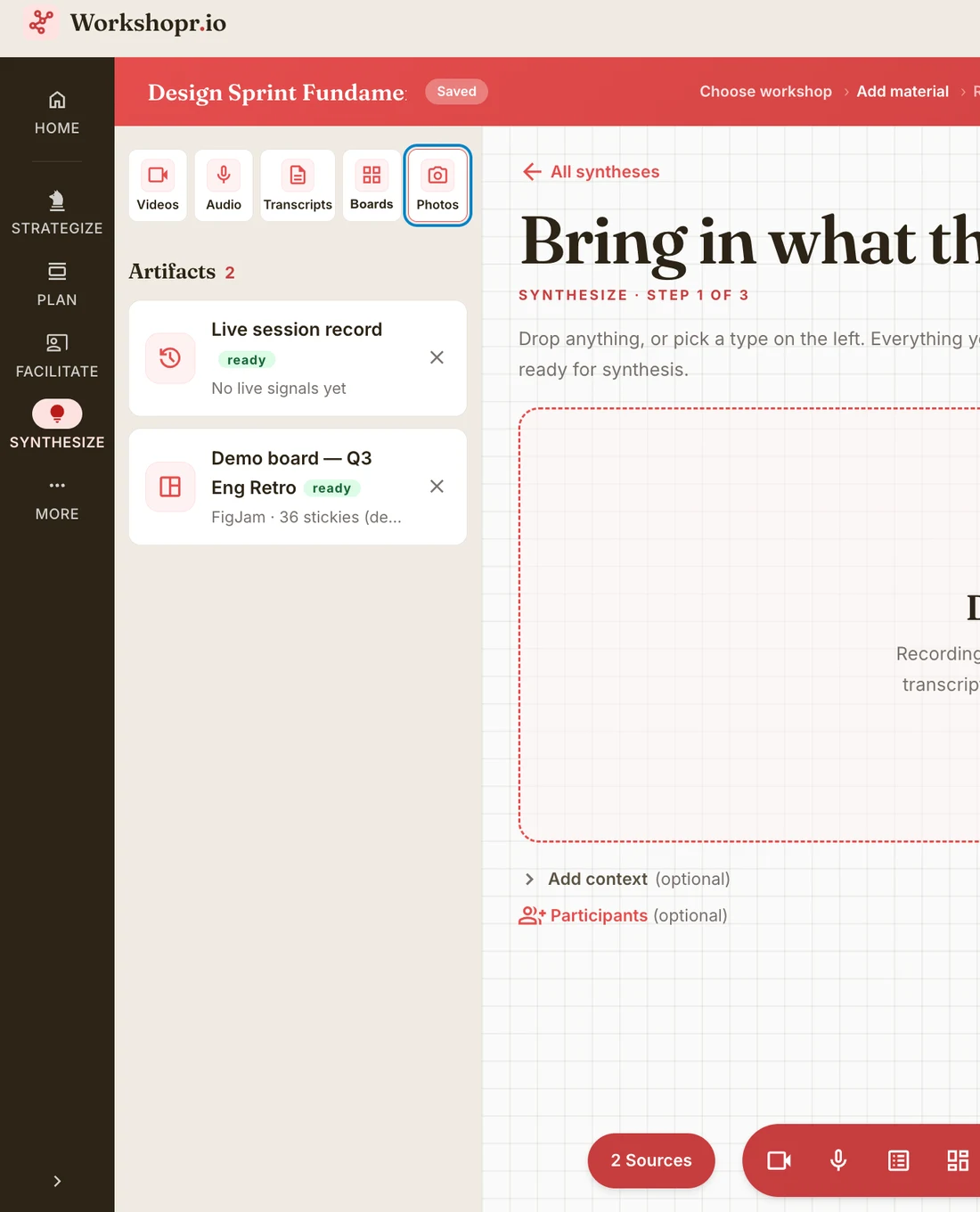
Every artifact in one place
Videos, audio, transcripts, boards, and photos each have a slot. The live session record from Facilitate is already waiting, so what happened in the room comes along without me exporting anything.
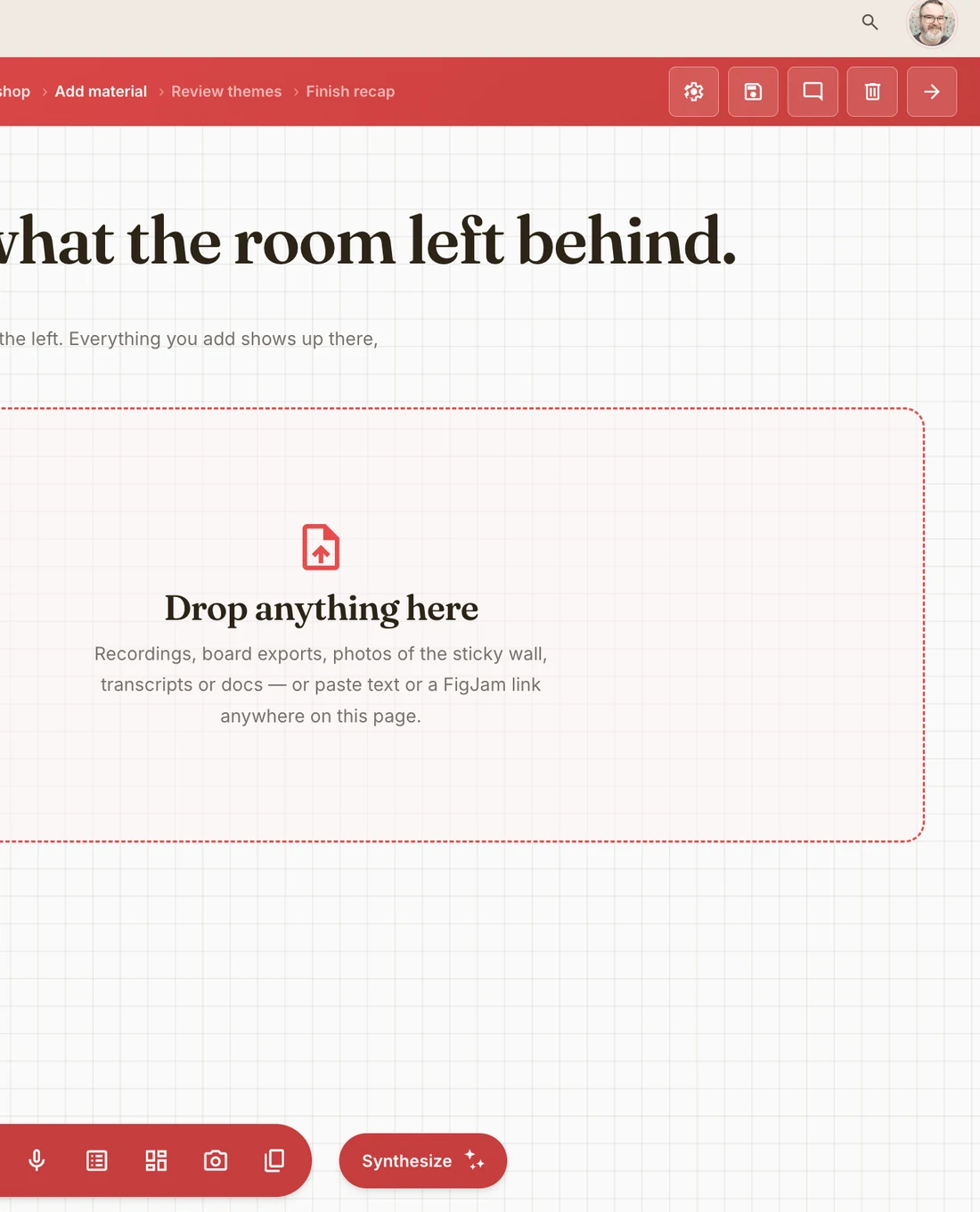
From pile to recap in three steps
Add material, review the themes it finds, finish the recap. One Synthesize button turns the sources into the decisions and to-dos the group actually walked out with.
380 exercises
A deep library of 380 exercises and 90 icebreakers, ready to drop into any agenda.
workshopr.io/library
 Back Pocketby Workshopr · for iPhone
Say what's happening.
Type it like you'd say it to a co-facilitator, or tap the mic and say it out loud. Speech recognition runs on the phone and stops on its own after a short pause.
 Awaiting App Store approval
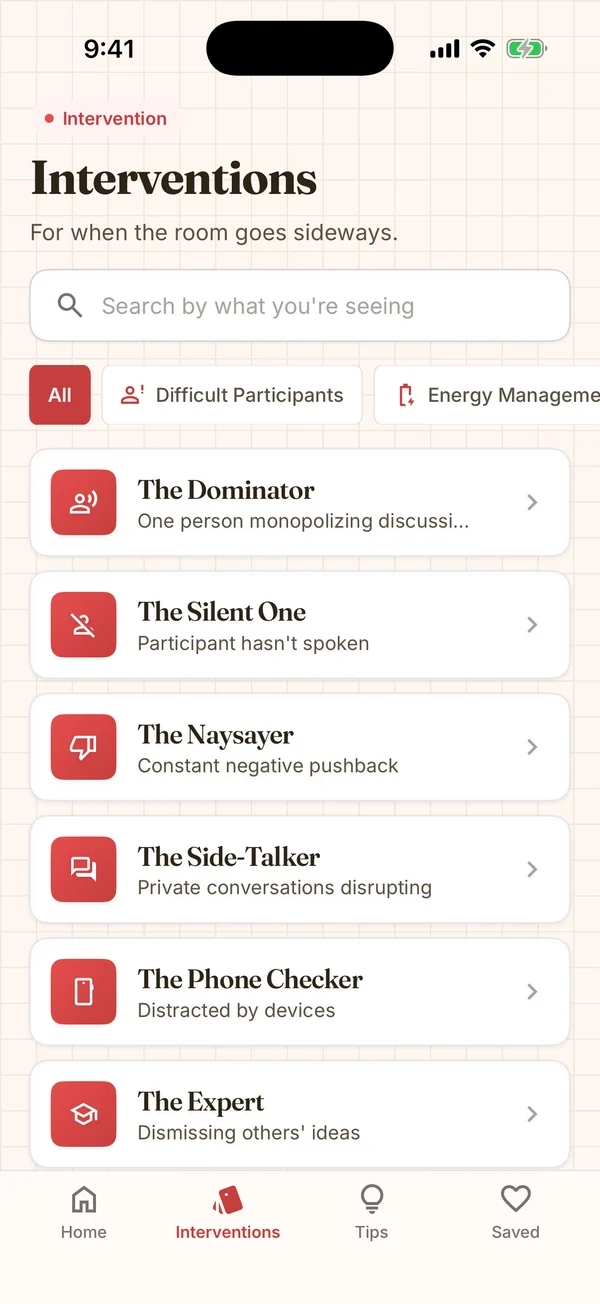
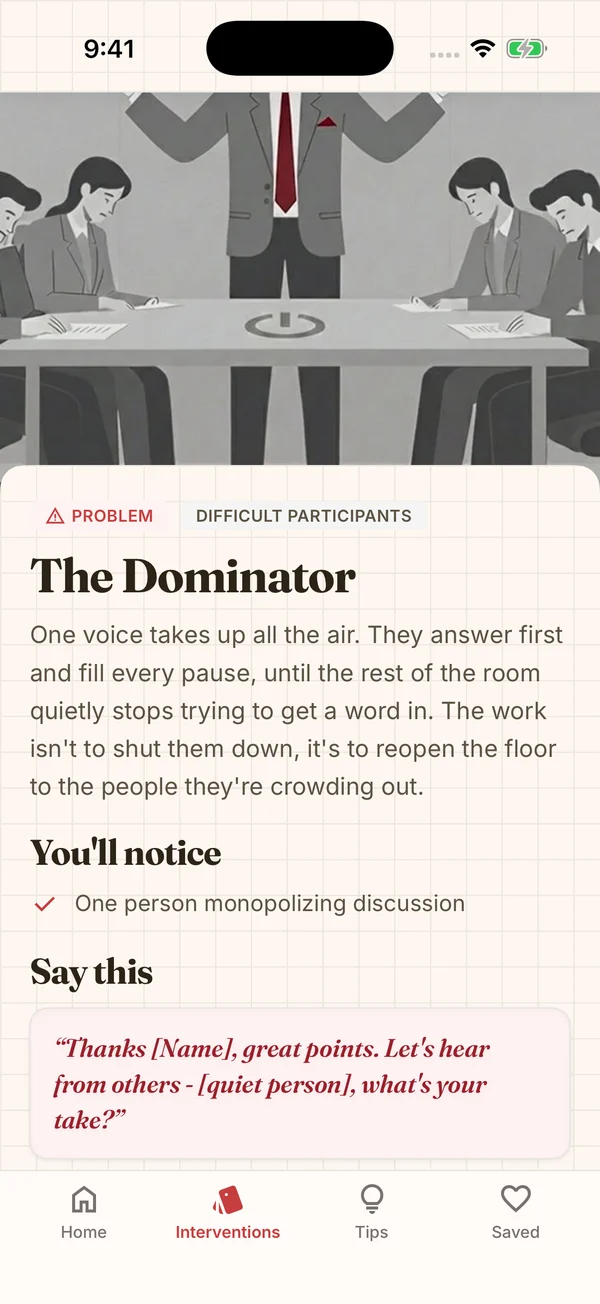 Back Pocketby Workshopr · for iPhone
Something to say in thirty seconds.
Each of the fifty cards leads with a quick response, then time to try, the approach, and whether it works in the room or remote. The deeper moves and prevention wait for the break.
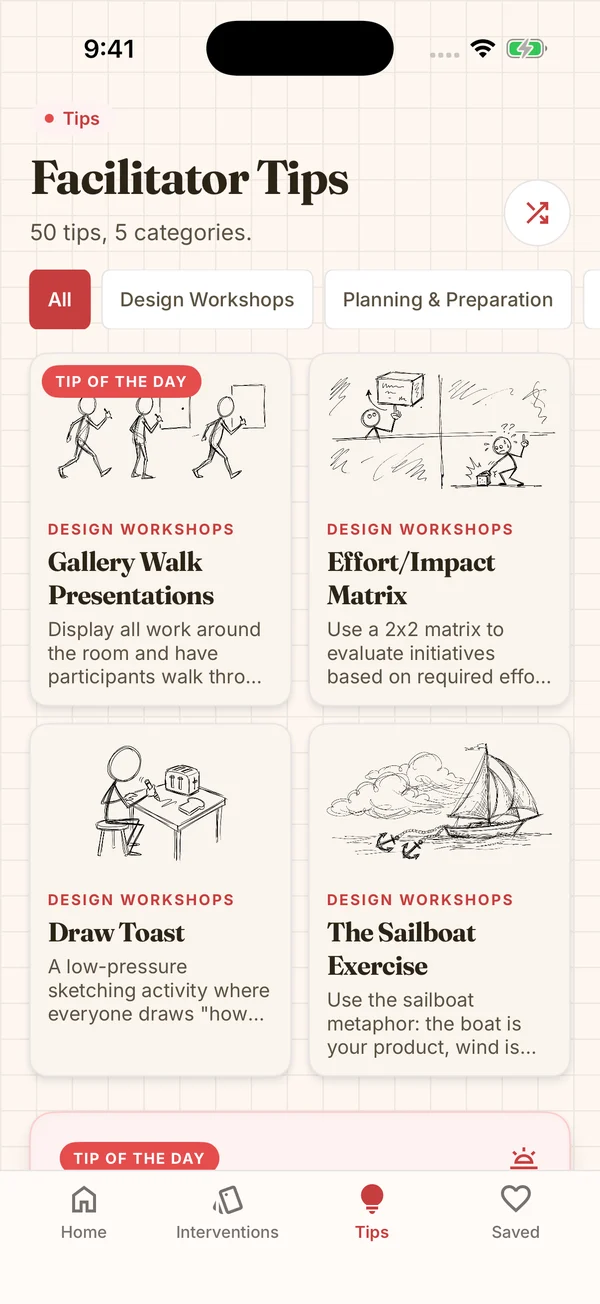
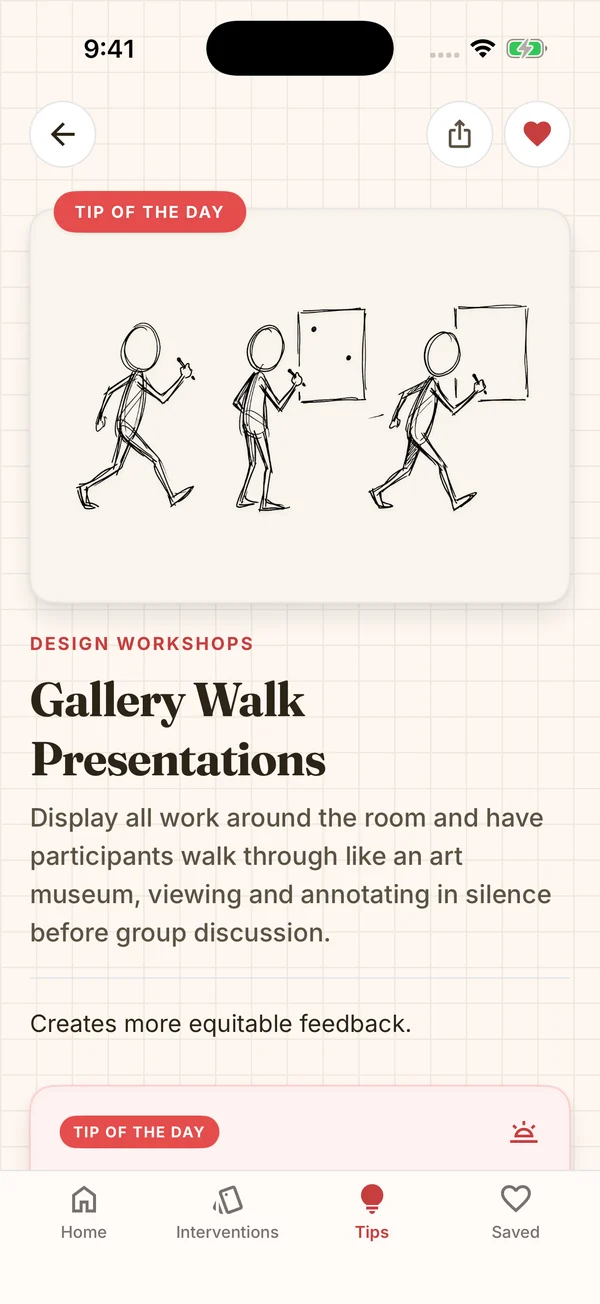 Back Pocketby Workshopr · for iPhone
A tip every day.
Nearly 200 illustrated tips, one on the home screen each morning. Heart any card or tip to keep it in Favorites, and it all works without Wi-Fi.

The timeline does the math
Durations step by five minutes, and the header keeps a running total against the length I picked: right on time, minutes open, or minutes over. An undo button walks back any change to the order. When the day adds up, it exports to PDF, Word, Excel, Markdown, or calendar events.
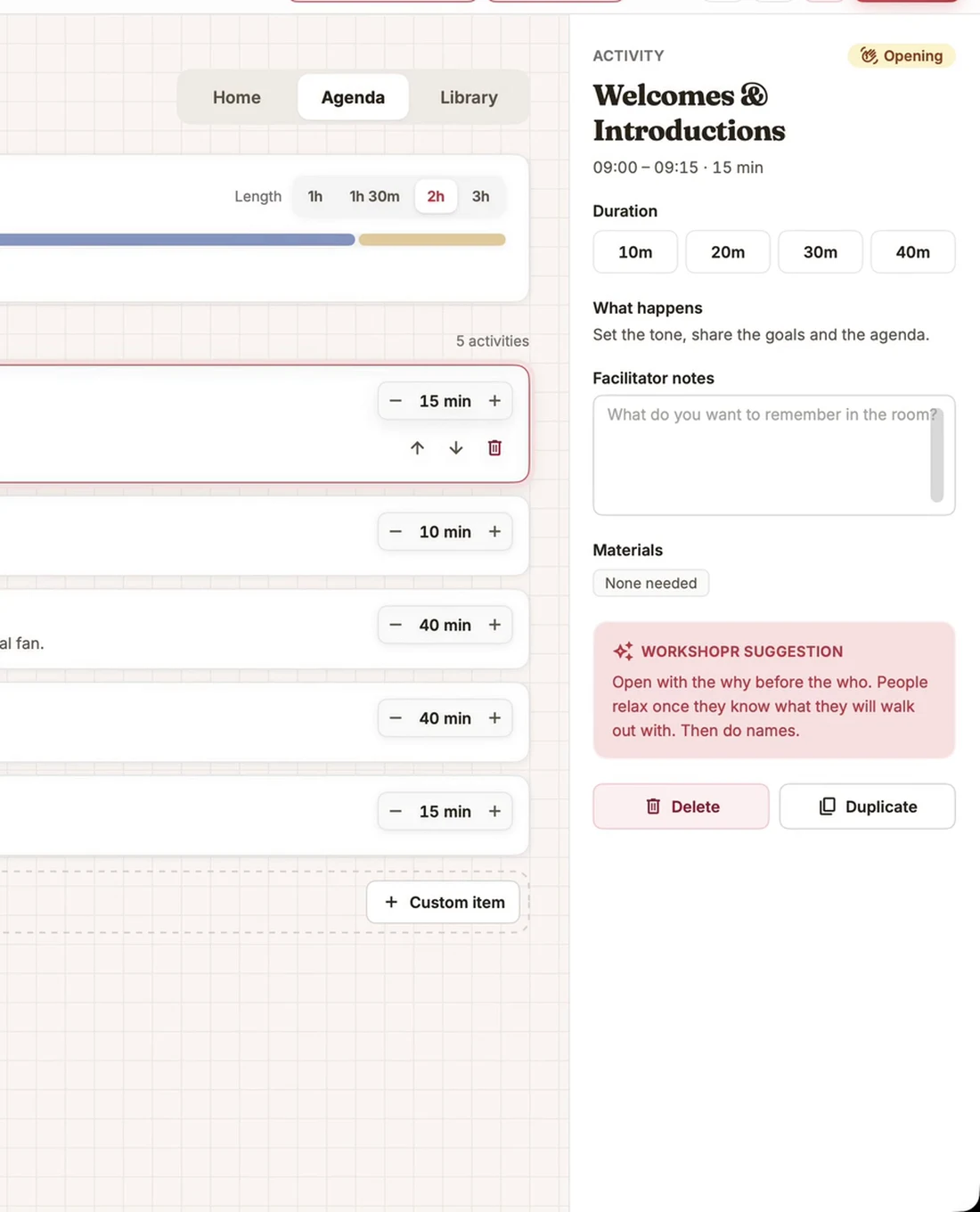
Every block, in context
Select a block and the panel on the right shows what happens in it, the materials, and a Workshopr suggestion for that kind of block. Facilitator notes save half a second after I stop typing, so there's no save step to forget.
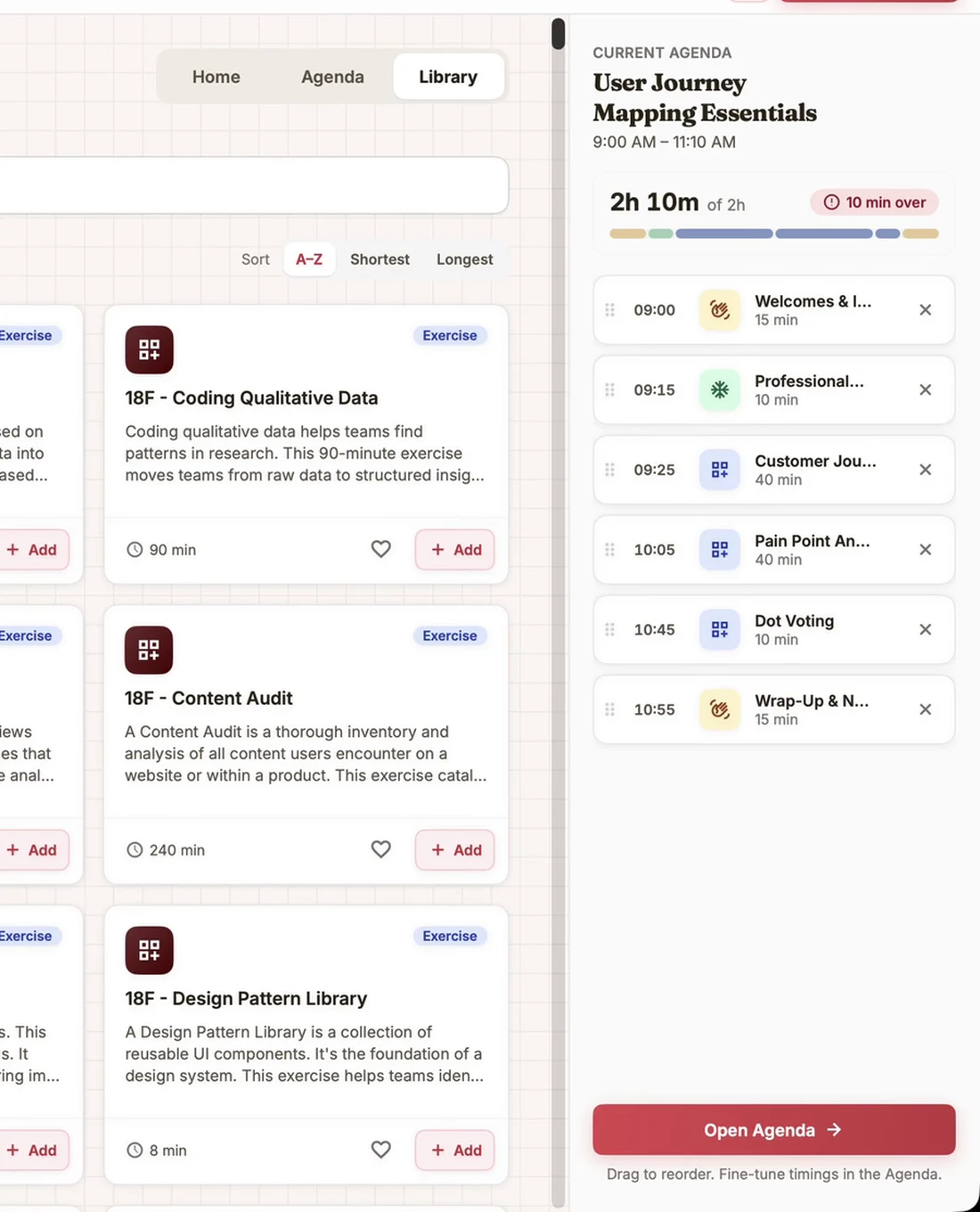
The whole library, offline
The full library is cached on disk, so the app opens without a connection and only downloads again when the server says something changed. The current agenda sits beside the results, and cards drag straight into it.
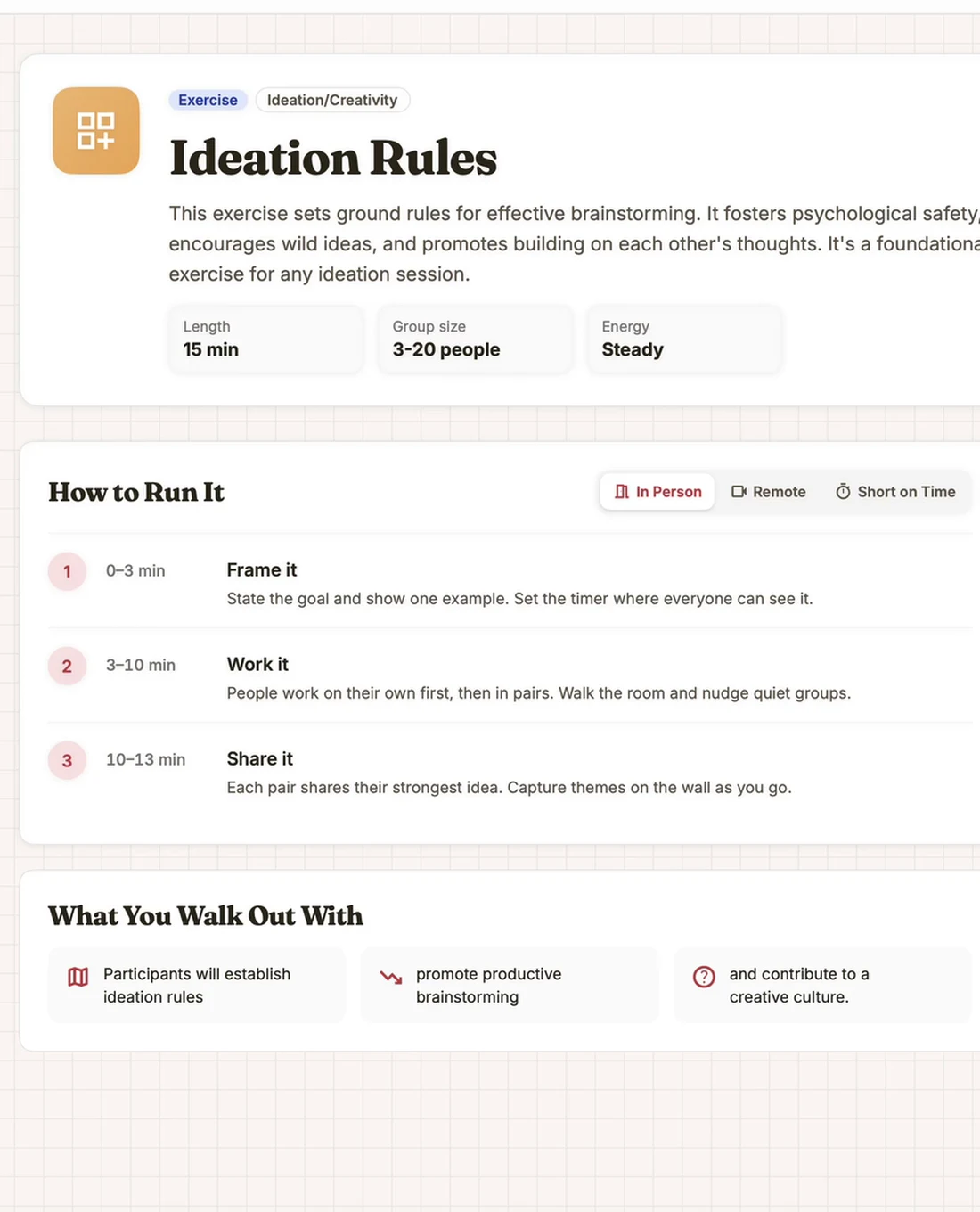
How to run it, step by step
Open any activity for the full detail: length, group size, energy, and numbered steps with their timings. In Person, Remote, and Short on Time switch the advice to fit the room I'll actually be in.
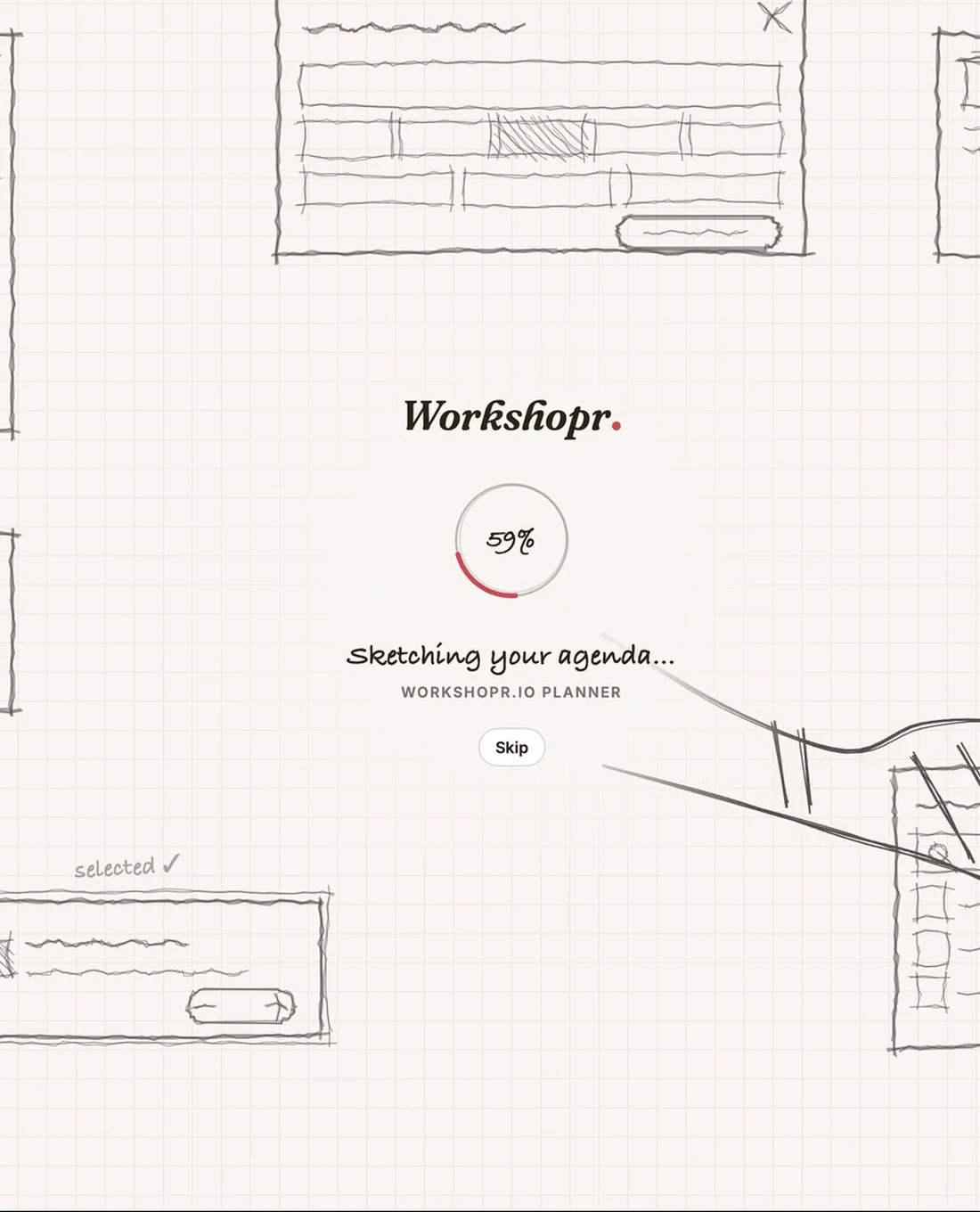
Starts as a sketch
While the app loads, the launch screen draws the agenda in pencil and a sketched hand finishes two of the blocks. A nod to where every workshop actually starts.
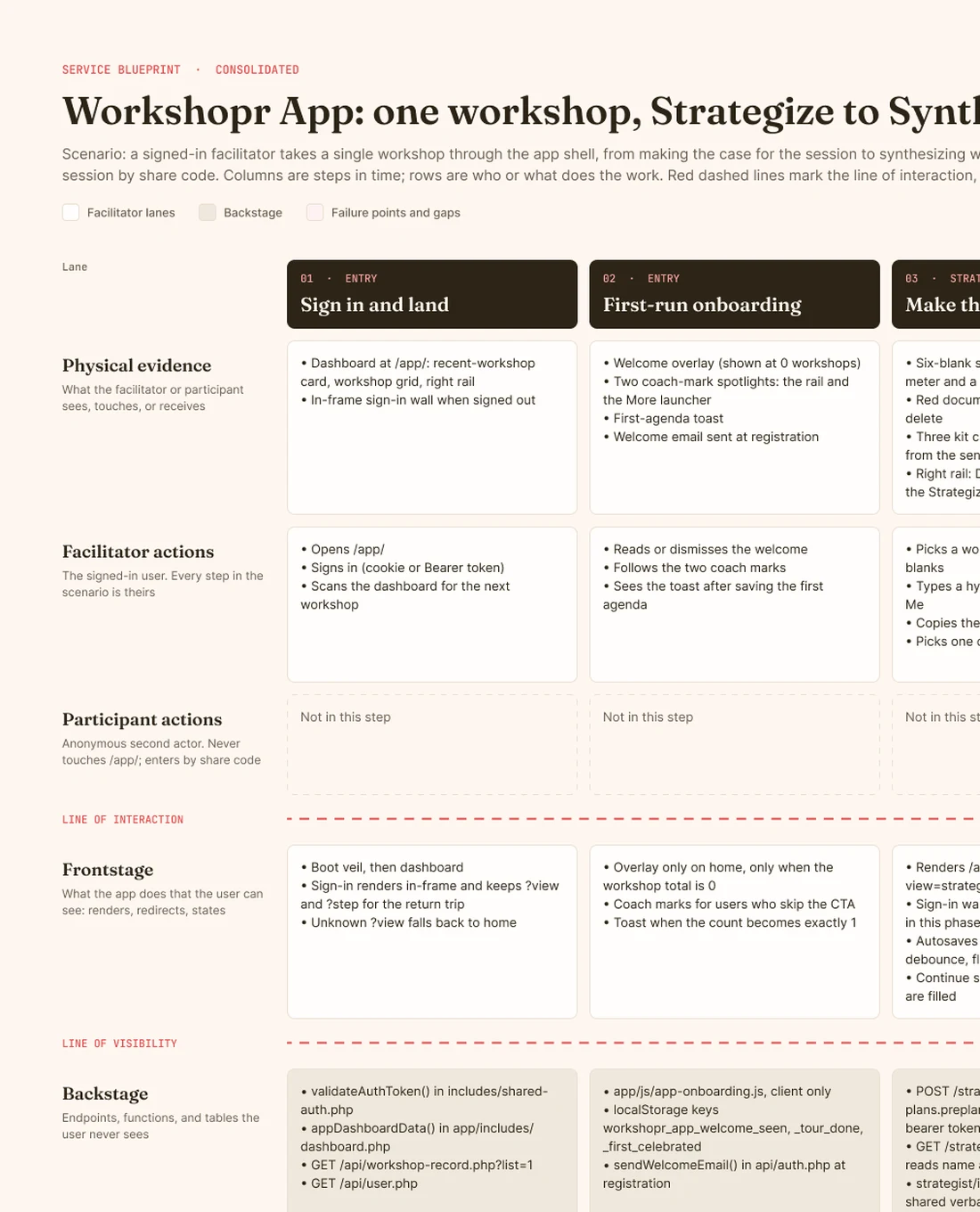
One workshop, Strategize to Synthesize
A service blueprint of the consolidated app. One signed-in facilitator takes a single workshop from making the case to synthesizing what came out of it, while anonymous participants join by share code. Twelve steps, every lane from physical evidence down to support processes, with the failure points and gaps marked in red.

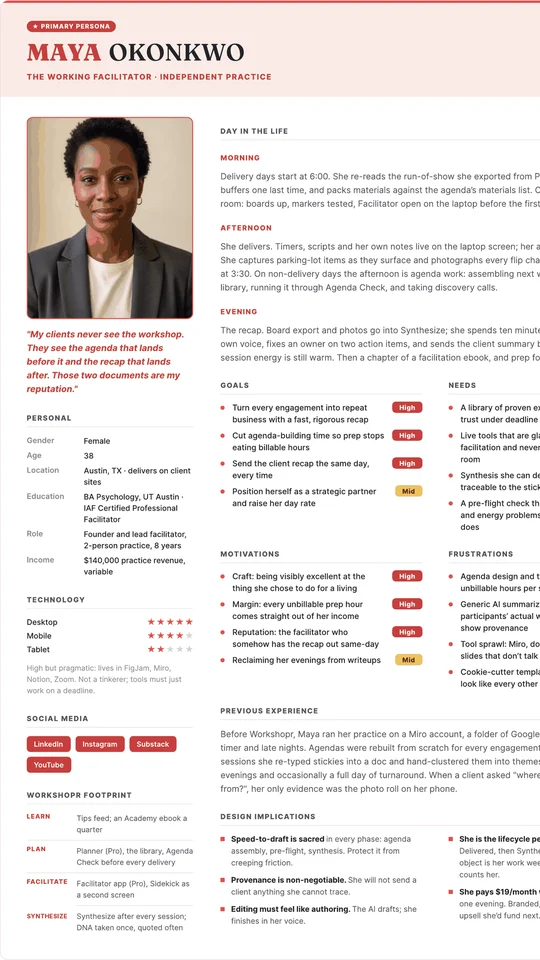
Maya Okonkwo, the working facilitator
The primary persona, one of four built from 15 user interviews and a survey of existing Workshopr users. “My clients never see the workshop. They see the agenda that lands before it and the recap that lands after.” Design for Maya first: she uses the whole lifecycle, and her standards for provenance and craft raise the bar for everyone.
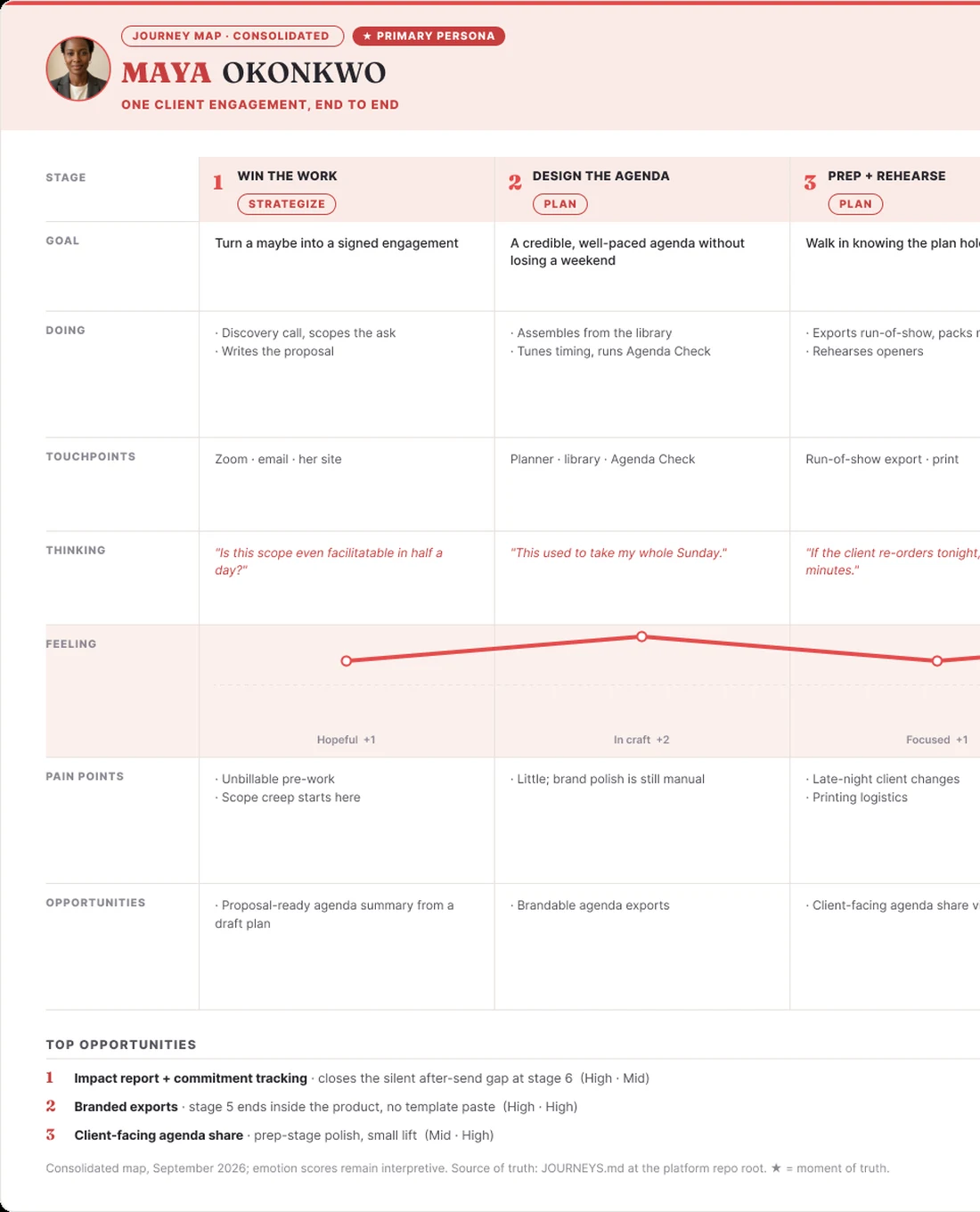
One client engagement, end to end
Maya's journey across six stages, from winning the work to following up. She's in flow during the session and proud of the same-evening recap. The low point comes after it's sent, with no evidence the workshop changed anything. That gap set the next priority: an impact report and commitment tracking.

Read the room. Pull the card.
Fifty real-room moments, sorted into six categories: energy and engagement, conflict and tension, difficult participants, time and pacing, focus and clarity, connection and trust. Each card names the moment, the move, and what to say. Free on the web, downloadable as a printable pack, and the deck behind Back Pocket.
workshopr.io/intervention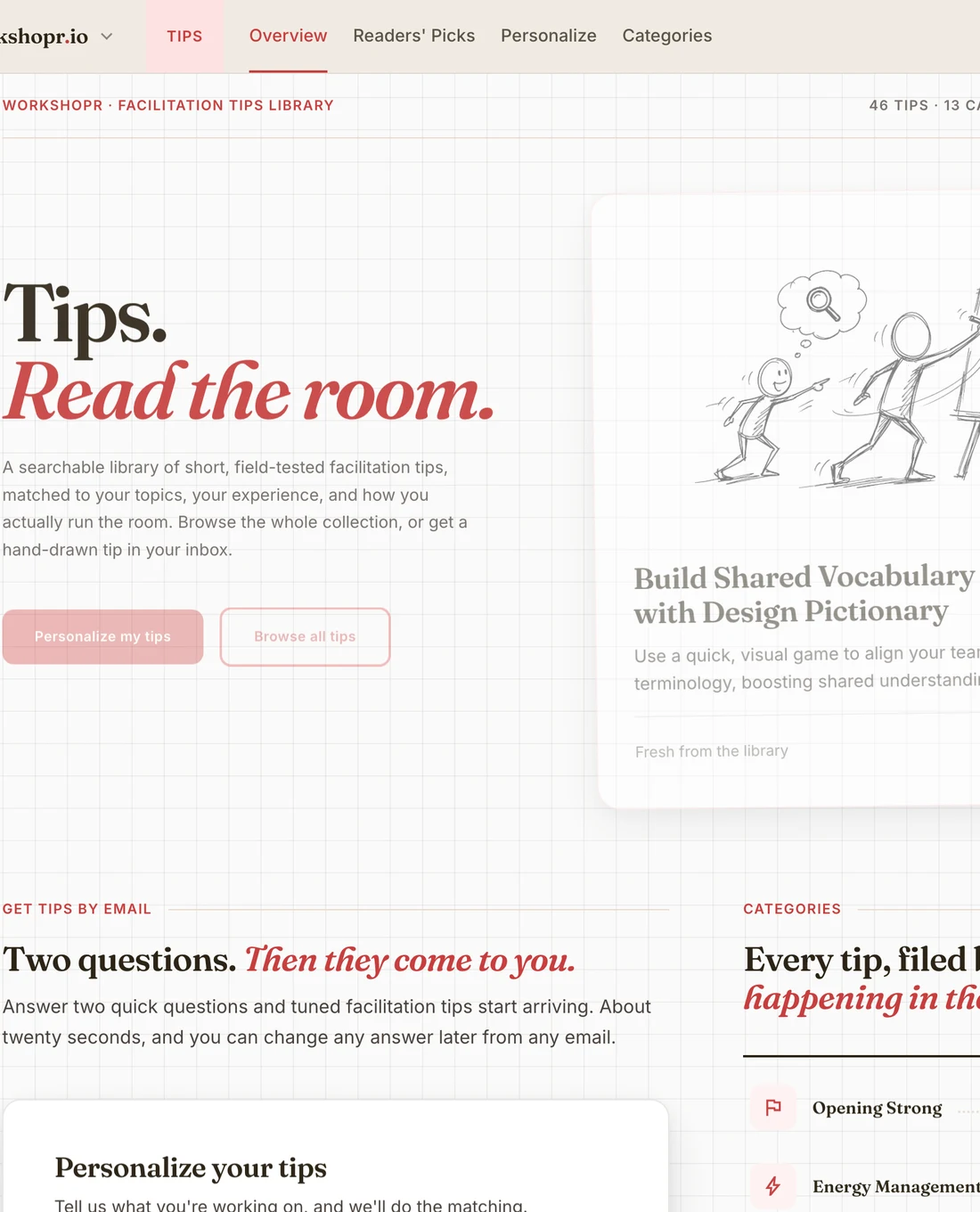
Tips. Read the room.
Short, field-tested facilitation tips, filed by what's happening in the room. Two questions set up a personalized email, so the right tips start arriving on their own. It's the same library behind the tip of the day in Back Pocket.
workshopr.io/tips
What's your Facilitator's DNA?
Fifteen questions, about three minutes, five archetypes: Energizer, Architect, Connector, Explorer, Sage. You get your archetype, your blend across all five types, and a shareable result. Leave an email to unlock the radar chart, stretch zones, and an email series written for your type. It's one of the easiest ways into Workshopr.
workshopr.io/dna